I’ve teamed with my wife to ship HackerBooks.com, a search engine for books quoted on StackOverflow and HackerNews.
The app is currently fairly simple and more is planned – yet I hope you will like the site just as much as the HackerNews crowd!
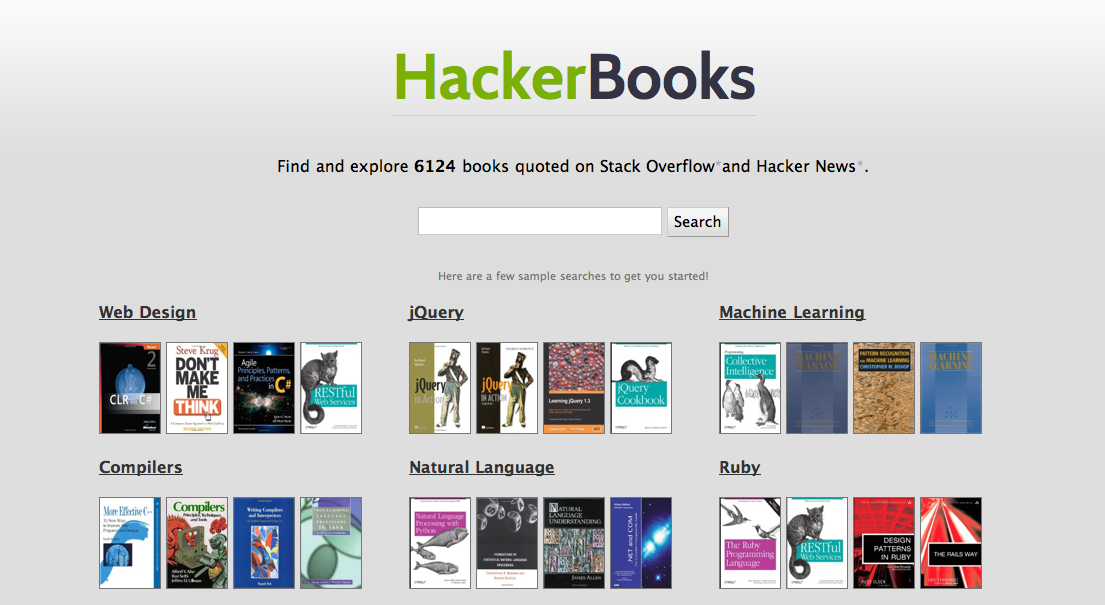
A few usage tips
There’s an advanced search built-in which is not really advertised yet but you may want to use:
- search for has:kindle to find all kindle ebooks
- search for site:stackoverflow to restrict to StackOverflow books
- or site:hackernews to restrict to HackerNews books
Technical notes
The app is largely an ETL which munges multiple data sources (including the StackExchange data dump, a HackerNews data dump and a HackerNews crawler I wrote, as well as calls to the Amazon API) to extract, conform and load books and quotes from these sites users into a MongoDB back-end.
On top of that, Sunspot and Solr are used to index the books and allow a full-text search with a flexible weighting:
Sunspot.search(Book) do
  unless query[:keywords].blank?
    keywords query[:keywords],
             :fields => [:title, :description] do
      boost_fields :title => 1.5, :description => 0.4
      boost(function { product(:karma, 3) })
    end
  else
    order_by :karma, :desc
  end

  with(:quoted_on, query[:quoted_on]) unless query[:quoted_on].blank?
  with(:kindle_edition, true) if query[:kindle]
end
Then we have a RubyOnRails 3 app which runs on top of RVM/Ruby 1.9.2.
To make a snappy app, we’ve used Nginx and Passenger, then Redis for the caching, coupled with a “warmup” script which fills the cache.
Keeping things RAM light
Initially the crawler was relying on resque (my favourite background processing tool) and resque-scheduler.
I really like both tools for my work but here we were severely restricted in RAM. Resque spawns a child process and resque-scheduler needs a dedicated process too, so it wasn’t a good fit here.
So another welcome addition to my toolset in this specific case is rufus-scheduler by John Mettraux, which allowed me to quickly (2 hours) convert the existing crawler to a more lightweight, single-process one.
require 'rubygems'
require 'bundler'

# restrict required gems with a bundler group to save RAM
ENV['BUNDLE_GEMFILE'] = File.expand_path(
  '../Gemfile', File.dirname(__FILE__))
Bundler.require(:crawler)

require 'rufus/scheduler'
scheduler = Rufus::Scheduler.start_new

scheduler.cron '*/15 * * * *' do
  puts "Scheduling FetchHackerNewsNewestJob"
  FetchHackerNewsNewestJob.perform
end

scheduler.cron '*/2 * * * *' do
  puts "Scheduling ExtractHackerNewsPageJob"
  ExtractHackerNewsPageJob.perform
end

def scheduler.handle_exception(job, exception)
  puts "job #{job.job_id} caught exception #{exception}"
  puts "notifying hoptoad"
  HoptoadNotifier.notify(
    :error_class => exception.class,
    :error_message => exception.to_s)
end

scheduler.join
Automating the sysadmin
For this specific project, the (currently single) server is managed from start to finish with chef-solo – and I must thank Vagrant too which helped me create/tweak the recipes at home.
Here’s what I automated on this project:
- initial RVM bootstrapping
- SSH configuration (port change, no root/password allowed etc)
- firewall with CSF
- Cloudkick agent deployment
- God setup
- MongoDB compilation, configuration and launching
- same for Redis
- same for Jetty, Solr and Sunspot
- Nginx with Passenger module
- 2 apps deployment (the front-end and the crawler)
Of course, all the God watches as well as all the config files (Jetty, MongoDB, Nginx) are managed via ERB and chef-solo.
This was the first time I stopped using Capistrano for app deployment.
I cannot stress enough the usefulness of using both Vagrant and chef-solo, especially for single-server deployment.
Having used both gives me the ability to go from a new host (eg: Linode) to a fully configured stack and app with the necessary data restored from backup, in less than 15 minutes.